Visualizing Drizzle Schemas
Visualizing a database schema using an Entity-Relationship Diagram (ERD) tool is helpful in providing a clear and intuitive representation of the database structure, making it easier to understand the relationships and dependencies between different entities.
With Atlas, you can easily visualize your Drizzle schema.
Visualizing schemas is available only to Atlas Pro users. To use this feature, run:
atlas login
Getting started with Atlas and Drizzle
To set up, follow along the getting started guide for Drizzle and Atlas.
Project Setup
Drizzle Schema
Assume we have the following Drizzle src/schema.ts file:
import { integer, pgTable, serial, text, timestamp } from 'drizzle-orm/pg-core';

export const usersTable = pgTable('users_table', {
  id: serial('id').primaryKey(),
  name: text('name').notNull(),
  age: integer('age').notNull(),
  email: text('email').notNull().unique(),
});

export const postsTable = pgTable('posts_table', {
  id: serial('id').primaryKey(),
  title: text('title').notNull(),
  content: text('content').notNull(),
  userId: integer('user_id')
    .notNull()
    .references(() => usersTable.id, { onDelete: 'cascade' }),
  createdAt: timestamp('created_at').notNull().defaultNow(),
  updatedAt: timestamp('updated_at')
    .notNull()
    .$onUpdate(() => new Date()),
});
Visualizing
Now that we are all set up, we can visualize our Drizzle models by running the inspect command
with the -w flag:
atlas schema inspect --env local --url env://schema.src -w
The target URL env://schema.src will point to the src/schema.ts file through atlas.hcl.
Our browser should open:
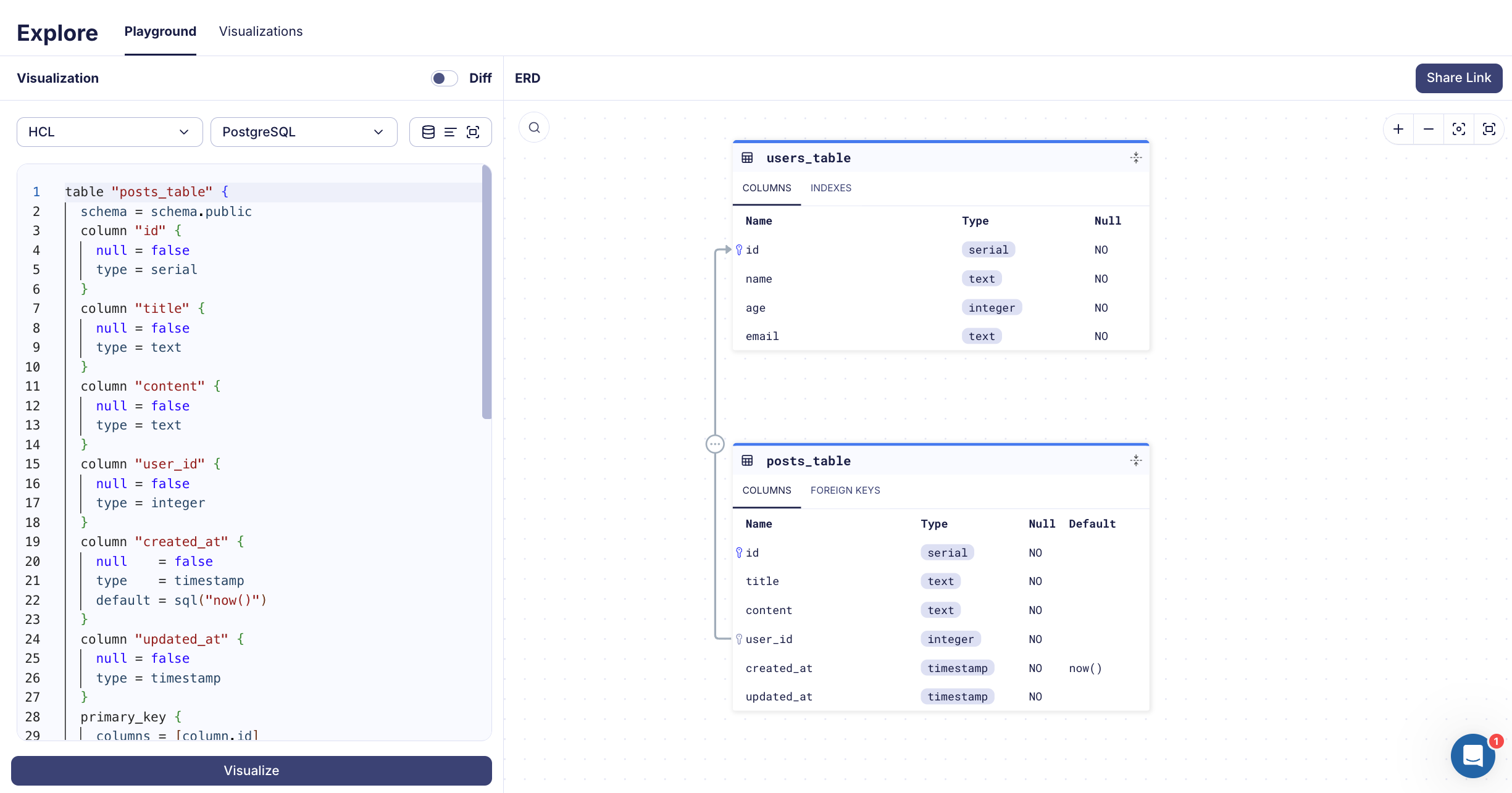
Amazing! Now you can easily view, save, and share your schema.